



10 ways to implement a successful blog in Magento 2.
Having a blog on your website is a great addition for both user experience and SEO. You can create content that will provide more value to your customers and answer their questions. But before posting content, The blog needs to be set up in Magento 2.
By default, Magento 2 does not have a blog. So there are two options: 1. Connect to a WordPress blog or 2. enable a Magento 2 blog extension.

Implementing a WordPress blog on Magento 2
Connecting to a WordPress blog
- If you are integrating a WordPress blog into your Magento 2 store, you will need to download an extension. At Fixit, we have created a WordPress Plugin and a Magento Module to integrate them together.
- Once the file download is complete, you will then need to extract the files to a root directory – you may need some help from experienced programmer.
- Log in to your Magento SSH account, navigate to the root directory, and run the following commands:
php bin/magento module:enable Fixit_Blog
php bin/magento setup:upgrade
php bin/magento setup:di:compile
php bin/magento cache:clean
php bin/magento cache:flush
- Once the commands are executed, go to the section Manager in Magento and click on WordPress. Then click on settings. You will need to enter the blog URL and the path to the WordPress installation directory to create this integration.
- The final steps are logging into WordPress and heading to the dashboard. Click on “In General", which is located under the settings section. Then, the website address in "/blog".
When all these steps are completed, the integration has been completed.
Create a new WordPress blog post
In WordPress, setting up a new post is very simple. To add a new post in WordPress, the path is: Posts and Add a new post. Categories can be created before content is added.
Creating New Content
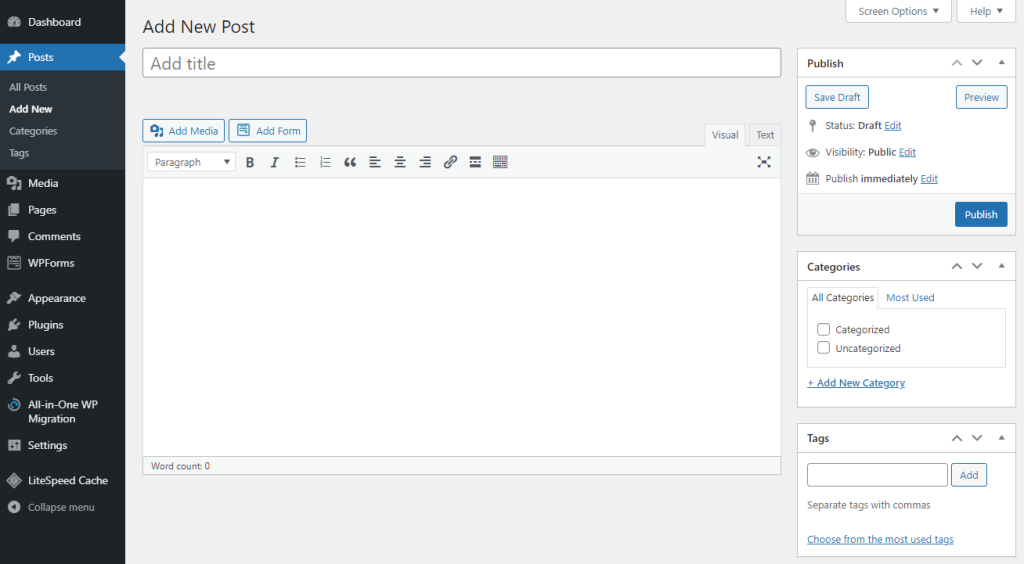

The next step is to add content to the blog. It is important to post content that will provide value to customers while improving the search performance of your Magento 2 store.
On some blog index pages, there are snippets of text so readers can get an idea of what to expect from each article. In WordPress, the first 55 words of the article are displayed. You can change this setting from the tab Reading.
Optimizing images for the blog
Images are a great addition to any blog post. They give the reader an extra element to digest the content and help improve the user experience.
For WordPress blogs, images may need to be compressed, as the system cannot support large-sized images.
Optimizing the alt text for each image is important for the targeted keyword.
One of the last steps is to select an image as the preview image on the blog index page.
Using a blog extension in Magento 2
A blog extension can be installed on Magento 2, for example Magefan or another extension.
There are several ways to integrate it into Magento 2. Through Composer or installation using a file and FTP.
Create a new post
- To create blogs in Magento 2, go to Content > Blog > Posts.
- Click on Add new post and then add a title, URL, and more.
- You can choose the category that the blog post will be in. For example, a fashion retailer might have an indexed category called "« Fashion tips » and create blog posts in this category.
- A writer must also be chosen, whether it is the company name or an employee.
Add content
It’s time to add SEO-optimized content. Content is essential for SEO, and blogging is a vital part of the strategy. It can help improve your search presence, improve your authenticity with Google, and retain customers.
Blog extensions, including MageFan, will have a section called Short content, which allows a portion of content to be placed to appear on a blog's index page. Something enticing is usually needed to encourage customers to read the blog's articles.
Related articles: "Top 10 WordPress Plugins to Improve SEO“
Images and Featured Images
Having a blog is a great way to create more content on a wide range of topics. However, it is also recommended to include images to provide readers with visual content.
By default, images are compressed when uploaded to Magento 2. However, the dimensions should be correct for the images. This is to ensure that the user experience is improved, especially on mobile.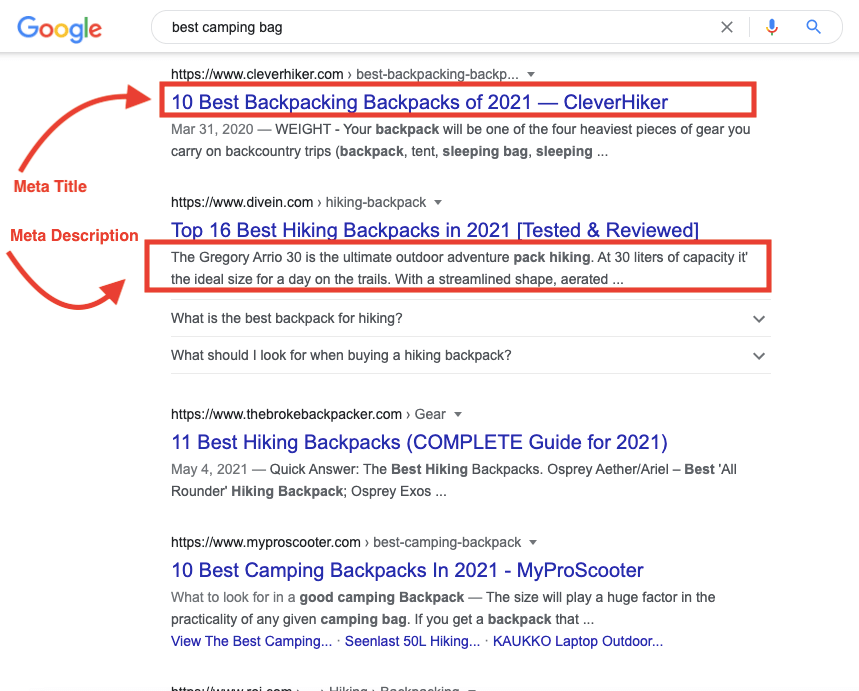

Featured images are extremely important for the blog post, as it acts as a preview on the main blog post page. Optimized alt text should be included, including the targeted keyword.
Applying these steps to images increases the SEO value of the Magento 2 website and improves user experience.
Setting the correct publication date
Setting the publish date of any blog post in Magento 2 is something that needs to be considered. By default, upon publishing, the blog post is immediately available to readers. If the blog post is required to go out on a specific date in the future, the correct date should be selected before saving.
Optimizing blog title tags and meta descriptions in Magento 2
Title tags and meta descriptions are an important part of creating a blog post. It gives Google a better understanding of what the blog post is about and gives readers a short snippet on the search results page. Optimizing them improves the search presence of your Magento 2 store.
In WordPress, with a plugin, it is possible to edit the title tag and meta description on the same page where the content is created. Yoast SEO is one of the top plugins used for this – it also has many other features to explore. The same goes for any Magento 2 extension, where the title tag and description metadata can be edited on the same page.
Within the title tags and meta description, it is recommended to include targeted keywords. The description should also have a call to action to entice customers to read the blog post.
Add to navigation menu
Linking the blog from the navigation menu helps Google understand the site architecture of your Magento store. It allows Google and other search engines to see the connection between pages on the site. The user experience is also improved as it is easy for customers to find the blog.
The importance of a blog layout
Layout is extremely important when it comes to your Magento 2 store, as it is key to the user experience.
A good tip is to divide the content into different sections and use headings, which helps Google understand the content. Too much white space or massed content will not keep readers engaged for long. Both WordPress and Magento 2 plugins offer a lot of flexibility when organizing the layout of your blog post.
Related articles: "Creating a loyalty program for a Magento 2 store“
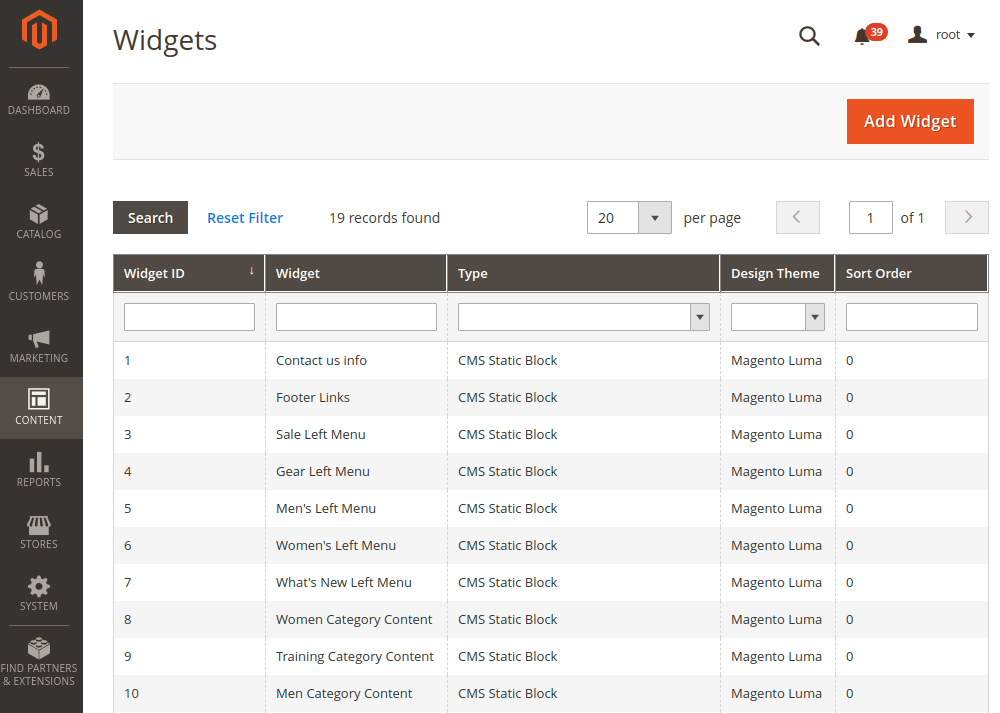
Creating a Related Products Widget in Magento 2
At the end of blog posts, a “Related Products Widget” can be added to integrate more dynamic elements into your Magento 2 blog. Most extensions, including Magefan, allow this, and you can even set custom rules for certain blog posts. For WordPress, a programmer can create custom blocks or place plugins below the content for this type of widget.
Related product widgets are a great way to provide a subtle CTA for your blog posts. Even for blog posts that aren't product-specific, it can be implemented so that customers have something to nudge them towards once they've finished reading the post.