


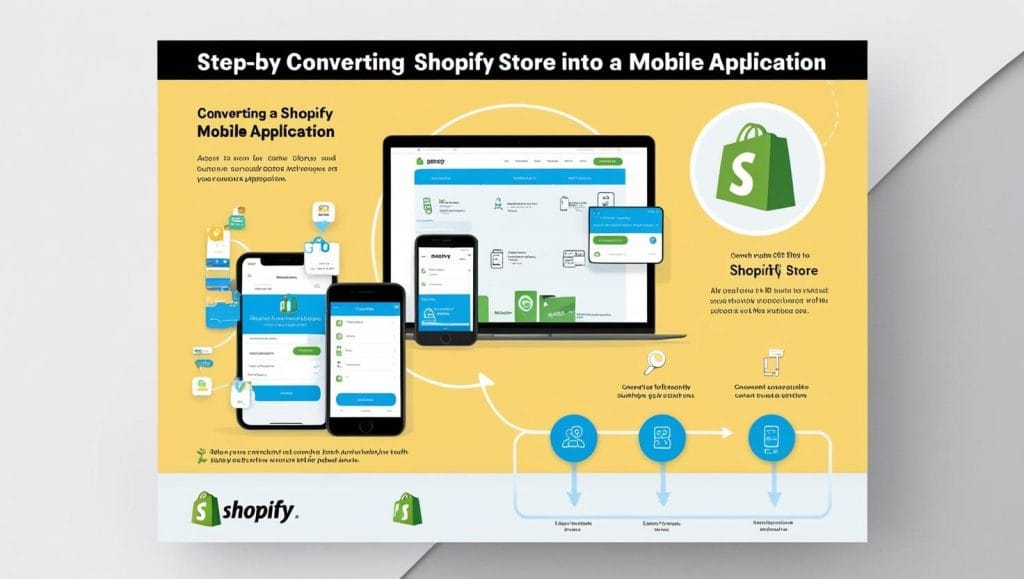
In recent years, mobile shopping has become more popular than ever. More shoppers are choosing to use apps over websites because they offer a faster, smoother, and more engaging shopping experience. For someone who owns a store, converting your Shopify store into a mobile app can take their business to the next level. A mobile app offers faster performance, better user experience, and instant access to customers through push notifications.
But how do you convert a Shopify store into a mobile app?;
Is it possible to convert Shopify Store into a mobile app?;
Yes! A Shopify Store can easily be converted into a mobile app using one of two methods.
Method 1: Using a Shopify mobile app builder (the easiest and fastest option)
This method is ideal for most businesses because it doesn't require coding. Shopify app builders provide pre-designed templates, drag-and-drop customization, and real-time syncing with the store.
Method 2: Develop a custom Shopify mobile app (for full customization)
If you want complete control over the design and features of your app, you can create a custom app using Shopify's SDKs (Software Development Kits). This method requires coding knowledge or hiring a developer.
For most Shopify store owners, using an app builder is the fastest and most cost-effective option. But if you need a highly customized app, it may be worth considering a custom development approach.
Method 1: Convert Shopify Store to Mobile App Using an App Builder
To convert a Shopify store to a mobile app, it is achieved in 4 steps:
- Step 1. Choosing a Shopify mobile app builder
- Step 2. Optimize the mobile app user interface (UI)
- Step 3. Check for mobile app responsiveness
- Step 4. Publish the mobile app version of your Shopify store
Step 1. Choosing a Shopify mobile app builder
Converting your Shopify store into a mobile app starts with choosing the right app builder. Shopify offers many third-party solutions that don't require coding knowledge, allowing you to quickly turn your store into a fully functional mobile app.
Before starting, one should make sure that they meet the basic requirements:
- A live Shopify store
- Developer accounts on Google Play Store (Android) and on the Apple AppStore (iOS)
- Access to real-time API integration for seamless data synchronization
When choosing a Shopify mobile app builder, factors such as ease of use, customization capabilities, Shopify integration, push notifications, cross-platform support, and analytics should be considered. Some of the top app builders include MageNative, Appokart, OneMobile, and MobiLoud, each of which offers varying levels of customization and scalability.
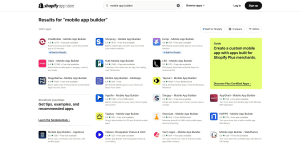

Once an application creation tool is selected, the following steps should be taken to install it:
- Go to the Shopify App Store
- Search for your preferred mobile app creation tool
- Κλικ στο “Προσθήκη εφαρμογής” → “Εγκατάσταση εφαρμογής” → “Μετάβαση στην εφαρμογή”
At this point, the Shopify store and the app builder will sync, allowing the user to proceed with customization and design.
Step 2. Optimize the mobile app user interface (UI)
Now that the app builder is installed, it's time to customize it. the mobile app to reflect the brand identity and enhance the shopping experience. Most app makers offer drag-and-drop customization tools , making it easy to modify the design without coding skills.
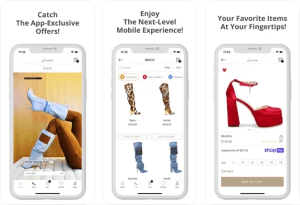

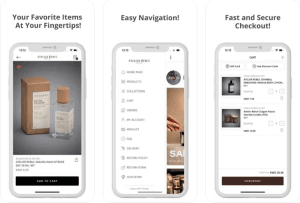
Lonia – An example of a Shopify store in the mobile app
In this step, one should focus on basic UI/UX customization elements such as:
- Choosing a theme that matches the look and feel of the brand
- Customize fonts, layouts, and colors for a visually appealing interface
- Add product sliders and category menus for easier navigation
- Enable push notifications to send updates about promotions and abandoned carts
- Optimize checkout with payment integrations like Apple Pay and Google Pay
Prioritizing these elements ensures that the app not only looks great, but is also built for performance and higher conversions.
Step 3. Check for mobile app responsiveness
Thorough testing is essential to ensure a smooth shopping experience across different devices.
Most app builders offer a built-in preview feature that allows you to see how the app works before publishing.
- Installing the demo version on an Android/iOS device
- Scan the QR code from the app builder dashboard
- Testing core features like navigation, product screens, checkout, and push notifications
- Make any necessary final adjustments based on the comments
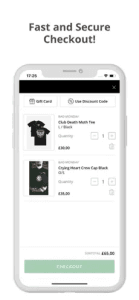

Checkout on the Shopify mobile app
Thorough testing helps eliminate glitches, improve user experience, and ensure the app works before release.
Step 4. Publish the mobile app version of your Shopify store
Once testing is complete, it's time to publish the Shopify mobile app to Google Play and the Apple App Store.
First, developer accounts must be created for Google Play (25 $ one-time fee) and Apple App Store (99 $/year). Then:
- App name, description, and branding details
- Privacy policy and customer support details
- App screenshots and promotional material
- Ensuring compliance with platform guidelines for smooth approval
Once the app is approved, promote it on your Shopify store, social media, and email campaigns to increase downloads and engagement.
Method 2: Develop a fully custom Shopify mobile app
Note: This method requires development expertise or collaboration with experienced developers.
Step 1: Understanding Shopify's mobile shopping SDKs
Shopify offers Mobile Buy SDKs for iOS and Android platforms, making it easy to create custom storefronts in your mobile app. These SDKs connect to the Shopify platform using GraphQL, allowing you to:
- Product and collection management: Retrieve and display product details and organize collections.
- Cart Handling: Manage shopping cart functions within the app.
- Secure checkout: Make in-app purchases with Shopify's secure checkout process.
Step 2: Creating the application framework
Creating a strong framework is crucial for application performance and scalability.
First, the development environment needs to be set up:
- Android: Android SDK Level 14 (Ice Cream Sandwich 4.0) or later, JDK 1.7, and Android Studio 2.1.x must be installed.
- iOS: Install the latest version of Xcode and ensure compatibility with Shopify's iOS SDK.
Next, the SDK should be initialized:
- Android: Integrate the Android Buy SDK into the project by adding the necessary dependencies and initializing GraphClient with the Shopify store credentials.
- iOS: Integrate the iOS Shopping SDK and set up the client to interact with the Shopify store.
Step 3: Customize the branding and UI/UX
Now, the app's appearance and user experience should be customized to align with the brand identity.
- Use of brand color schemes, fonts, and logos.
- Ensuring intuitive navigation with clear categories and product listings.
- Integrate push notifications for offers, enable quick view options, and optimize images for mobile screens.
Step 4: Test, optimize, and launch the store's Shopify app
Before launching the application, thorough testing and optimization is essential.
- Verify that all features, including product navigation, cart features, and checkout processes, are working properly.
- Ensuring fast loading times and smooth transitions.
- Compliance with Google Play Store and Apple App Store guidelines.
- Finally, submit the application for review to the respective app stores.
Why should Shopify Store be converted into a mobile app?;
- In 2024, smartphones accounted for nearly 801% of all visits to retail websites worldwide
- In 2025, mobile commerce sales are expected to account for 59% of total e-commerce sales, totaling $3.35 trillion.
Here are all the benefits a Shopify mobile store can bring:
1. Increased customer engagement
A mobile app creates an immediate and personalized connection with customers, boosting loyalty and encouraging repeat purchases. With push notifications, businesses can instantly inform users about new product launches, flash sales, and exclusive offers, keeping them engaged and increasing sales. Abandoned cart reminders play a critical role in recovering lost sales by encouraging customers to complete their purchases. Additionally, by tracking browsing history and purchasing patterns, businesses can segment audiences and create targeted offers, improving conversion rates.
2. Improved brand loyalty
A mobile app acts as a dedicated space for your brand on customers’ phones, fostering a deeper connection that goes beyond a transactional relationship. Unlike a browser bookmark that can easily get lost among other things, an app icon serves as a constant visual reminder of your brand, keeping your business top of mind every time they reach for their phone.
3. Improved user experience
Compared to a standard mobile website, a Shopify mobile app offers a faster, smoother, and more interactive shopping experience. Apps load quickly, reducing frustration and improving the user experience. Well-optimized navigation and easy-to-use layouts help customers find products effortlessly, making the shopping journey more enjoyable. Additionally, a seamless checkout process with integrated one-click payment options like Apple Pay, Google Pay, and Shop Pay minimizes cart abandonment, leading to higher conversion rates.

4. Offline accessibility
A mobile app ensures uninterrupted access to a store, even in areas with poor or no internet connectivity. Customers can browse product listings, view images, and read descriptions without an active internet connection. Once reconnected, the app automatically updates product availability, prices, and customer preferences, maintaining a seamless shopping experience. This feature is especially beneficial for travelers or customers in areas with inconsistent connectivity, ensuring interaction with the store at all times.
5. Access to device functions
Mobile apps leverage smartphone capabilities to deliver a more interactive and personalized shopping experience. Features like visual search allow customers to find similar products by snapping a photo, while GPS tracking enables location-based promotions that drive in-store traffic. The integration of augmented reality (AR) further enhances the experience by allowing users to try on virtual products, a particularly valuable feature for fashion, beauty, and home decor brands.
Its experienced developers Fixit.gr They can help any business transform their e-commerce store into a mobile app, with seamless operation and conducting every check before publishing it.