

404 "Not Found" in Laravel: Fixing and troubleshooting the issue.
The 404 Not Found error is a common occurrence in web development, including Laravel applications. When this error occurs in a Laravel project, it indicates that the requested resource or path was not found.
However, with the right troubleshooting techniques and knowledge, this problem can be resolved with simple steps.
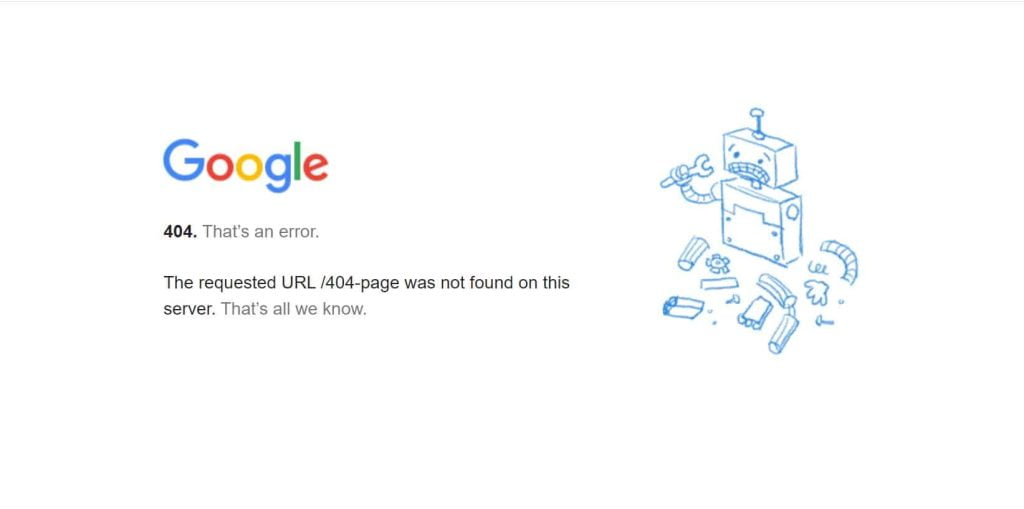

What is 404 "Not Found" in Laravel?
Στο πλαίσιο του Laravel, ο κωδικός κατάστασης HTTP που είναι γνωστός ως “404 Not Found” αναφέρεται ως ο κωδικός κατάστασης που επιστρέφεται όταν ένας ζητούμενος πόρος δεν μπορεί να βρεθεί σε έναν διακομιστή ιστού. Το Laravel, a popular PHP framework for web development, is responsible for processing this code.
Όταν μια αίτηση για μια συγκεκριμένη διαδρομή ή πόρο λαμβάνεται από μια εφαρμογή Laravel, αναζητείται και επεξεργάζεται ο αντίστοιχος κωδικός ή το αρχείο που σχετίζεται με αυτή την αίτηση. Εάν ο ζητούμενος πόρος δεν μπορεί να βρεθεί, η απάντηση “404 Not Found” επιστρέφεται συνήθως από το Laravel.
The client, usually a web browser, is informed by this response that the server was unable to locate the requested resource. This standard HTTP status code is used to indicate that the requested resource is not available on the server.
Το Laravel διευκολύνει το χειρισμό και την προσαρμογή της απάντησης “404 Not Found” μέσω ενσωματωμένης λειτουργικότητας. Μπορούν να οριστούν προσαρμοσμένες σελίδες σφάλματος ή απαντήσεις για διάφορους κωδικούς κατάστασης HTTP, συμπεριλαμβανομένου του σφάλματος 404. Με την προσαρμογή της σελίδας σφάλματος, μπορούν να εμφανιστούν στον χρήστη φιλικά προς τον χρήστη μηνύματα ή πρόσθετες οδηγίες όταν ένας ζητούμενος πόρος δεν βρίσκεται.
Cause of the 404 Not Found error in Laravel.
Μπορεί να υπάρχουν διάφοροι λόγοι για την εμφάνιση του σφάλματος “404 Not Found” στο Laravel. Ορισμένες συνήθεις αιτίες είναι οι εξής:
- Incorrect URL or path: Μπορεί να έχει εισαχθεί μια λανθασμένη διεύθυνση URL ή διαδρομή, με αποτέλεσμα το σφάλμα “404 Not Found”. Θα πρέπει να διασφαλιστεί ότι η προσπελάσιμη διεύθυνση URL ή διαδρομή είναι σωστή και ταιριάζει με τον ορισμό στις διαδρομές της εφαρμογής Laravel.
- Missing route definition: Εάν δεν έχει οριστεί μια διαδρομή για τη ζητούμενη διεύθυνση URL, το σφάλμα “404 Not Found” θα επιστραφεί από το Laravel. Είναι σημαντικό να διασφαλιστεί ότι η κατάλληλη διαδρομή έχει οριστεί στο αρχείο routes (π.χ. web.php ή api.php) για τη ζητούμενη διεύθυνση URL.
- Missing file or resource: Κατά την προσπάθεια πρόσβασης σε αρχείο ή πόρο που δεν υπάρχει, το Laravel θα επιστρέψει σφάλμα “404 Not Found”. Είναι απαραίτητος ο διπλός έλεγχος της ύπαρξης του αρχείου ή του πόρου στη σωστή θέση.
- Invalid HTTP verb: Η χρήση λανθασμένου ρήματος HTTP (π.χ. GET, POST, PUT, DELETE) για μια συγκεκριμένη διαδρομή στο Laravel μπορεί να οδηγήσει σε σφάλμα “404 Not Found”. Θα πρέπει να χρησιμοποιείται το σωστό ρήμα HTTP για την προβλεπόμενη ενέργεια.
- Temporary route storage: Η ενεργοποίηση της προσωρινής αποθήκευσης διαδρομών στην εφαρμογή Laravel (php artisan route:cache) μπορεί να προκαλέσει προβλήματα. Κάθε φορά που γίνονται αλλαγές στις διαδρομές, η προσωρινή μνήμη διαδρομών θα πρέπει να καθαρίζεται για να αποφευχθεί η επιστροφή σφάλματος “404 Not Found” από το Laravel για ενημερωμένες διαδρομές.
- Incorrect file permissions: Λάθος δικαιώματα αρχείων ή καταλόγων στον διακομιστή ιστού μπορεί να οδηγήσει στο σφάλμα “404 Not Found” στο Laravel. Η διασφάλιση της σωστής ρύθμισης των απαραίτητων δικαιωμάτων αρχείων και καταλόγων είναι απαραίτητη.
- Configuring the server: Τα προβλήματα διαμόρφωσης του διακομιστή μπορούν επίσης να προκαλέσουν σφάλματα “404 Not Found”. Είναι σημαντικό να διασφαλιστεί ότι ο διακομιστής ιστού (π.χ. Apache ή Nginx) είναι σωστά ρυθμισμένος ώστε να χειρίζεται τις εφαρμογές Laravel και να επαναγράφει τις διευθύνσεις URL όπως απαιτείται.
Effects of the 404 Not Found error in Laravel.
Το σφάλμα “404 Not Found” στο Laravel μπορεί να έχει διάφορες επιπτώσεις στην εφαρμογή και στους χρήστες της:
- User experience: Όταν ένας επισκέπτης συναντά ένα σφάλμα “404 Not Found”, σημαίνει ότι ο ζητούμενος πόρος δεν είναι διαθέσιμος. Μπορεί να δημιουργηθεί μια κακή εμπειρία χρήστη, καθώς οι χρήστες μπορεί να απογοητευτούν ή να μπερδευτούν.
- Loss of trust and credibility: Εάν τα σφάλματα “404 Not Found” αντιμετωπίζονται συχνά από τους χρήστες στην εφαρμογή, η εμπιστοσύνη τους στον ιστότοπο ή την υπηρεσία μπορεί να υπονομευθεί. Μπορεί να εκληφθεί ως ένδειξη κακής συντήρησης ή ξεπερασμένου περιεχομένου, επηρεάζοντας αρνητικά τη φήμη της επωνυμίας.
- Impact on SEO (search engine optimization): Search engines crawl and index web pages based on their availability and relevance. If search engines encounter multiple 404 Not Found errors in Laravel while crawling your site, it can affect your SEO rankings. Broken links or missing pages can lead to a decrease in organic traffic and search visibility.
- Missed opportunities: Τα σφάλματα “404 Not Found” μπορεί να οδηγήσουν σε χαμένες ευκαιρίες για μετατροπές ή δέσμευση. Εάν ένας επισκέπτης προσπαθήσει να αποκτήσει πρόσβαση σε μια συγκεκριμένη σελίδα ή πόρο που δεν βρέθηκε, μπορεί να εγκαταλείψει τον ιστότοπο ή να αναζητήσει εναλλακτικές λύσεις. Αυτό μπορεί να οδηγήσει σε χαμένες πωλήσεις, εγγραφές ή άλλες επιθυμητές ενέργειες του χρήστη.
- Development and debugging: The Not Found Laravel error can indicate potential problems in the code, such as incorrect routing or missing files. It signals that certain paths or resources need to be re-examined and fixed.
Related articles: "Top 10 WordPress Plugins to Improve SEO“
6 troubleshooting techniques for 404 Not Found in Laravel project.


When there is a 404 Not Found error in Laravel, various troubleshooting techniques can be used to identify and resolve the problem. Here are six techniques that can be tried:
- The route configuration should be checked.: Μία από τις κύριες αιτίες του σφάλματος “404 Not Found” στο Laravel είναι η λανθασμένη διαμόρφωση της διαδρομής. Η διαδρομή στην οποία απατείται να αποκτηθεί πρόσβαση θα πρέπει να διασφαλιστεί ότι έχει οριστεί σωστά στα αρχεία διαδρομών της εφαρμογής Laravel (web.php, api.php κ.λπ.). Attention should be paid to the URL pattern, HTTP verb, and any path parameters.. They should be verified to match the intended route. If there are any errors or inconsistencies, they should be corrected to ensure that the route is set correctly.
- The controller and methods of action should be examined: Controllers are used in Laravel to handle requests and process actions. If you encounter a 404 Not Found Laravel error, it is important to verify that the relevant controller and action methods exist and are written correctly. The namespace, class name, and method name in the path definition and the corresponding controller file should be checked. Any inconsistencies or typos in these names can lead to the error. Any naming errors should be corrected to ensure that the controller and action method are referenced correctly.
- The file and directory structure should be reviewed.: Another possible cause of the 404 Not Found Laravel error is a problem with the file and directory structure in the Laravel application. You should ensure that the file or resource that you need to access is in the correct location within the project's file structure. The presence of the file, the naming conventions, and any necessary subdirectories should be double-checked. In case the file or resource is not in the expected location, the file and directory structure should be adjusted accordingly.
- The database connection should be debugged.: Εάν η εφαρμογή περιλαμβάνει λειτουργίες βάσης δεδομένων, ενδέχεται να εμφανιστεί σφάλμα “404 Not Found” λόγω προβλήματος με τη σύνδεση στη βάση δεδομένων. Θα πρέπει να ελεγχθεί η διαμόρφωση της βάσης δεδομένων στο αρχείο .env του Laravel. Θα πρέπει να επαληθευτεί η ακρίβεια των διαπιστευτηρίων της βάσης δεδομένων, του κεντρικού υπολογιστή και της θύρας. Θα πρέπει να διασφαλιστεί ότι ο διακομιστής βάσης δεδομένων είναι προσβάσιμος και ότι οι λεπτομέρειες σύνδεσης έχουν καθοριστεί σωστά. Οποιαδήποτε προβλήματα σύνδεσης με τη βάση δεδομένων θα πρέπει να αντιμετωπιστούν για την επίλυση του σφάλματος.
- The HTTP server configuration should be inspected.: The web server (e.g. Apache or Nginx) plays a crucial role in serving the Laravel application. If the server configuration is incorrect or incomplete, it can lead to a 404 Not Found error. The web server configuration should be reviewed and ensure that it is properly configured to handle Laravel applications. Any required rewrite rules, virtual host configurations, or server requirements specific to Laravel should be checked. The necessary adjustments to the server configuration should be made to resolve the error.
- The presence of middleware should be investigated: Το Middleware στο Laravel παρέχει έναν τρόπο για την αναχαίτιση αιτήσεων και την εκτέλεση ενεργειών πριν φτάσουν στην προβλεπόμενη διαδρομή. Ένα ή περισσότερα στοιχεία middleware μπορεί να παρεμβαίνουν στη διαδρομή και να προκαλούν το σφάλμα “404 Not Found”. Θα πρέπει να εξεταστεί η λογική του middleware στην εφαρμογή και να επαληθευτεί ότι δεν μπλοκάρει ή δεν ανακατευθύνει λανθασμένα το αίτημα. Συγκεκριμένα, θα πρέπει να ελεγχθεί αν εφαρμόζεται κάποιο ενδιάμεσο λογισμικό στη συγκεκριμένη διαδρομή στην οποία απαιτείται η πρόσβαση. Θα πρέπει να γίνουν οι απαραίτητες προσαρμογές στη διαμόρφωση του middleware, ώστε να διασφαλιστεί ότι δεν παρεμβαίνει στη διαδικασία δρομολόγησης.
Χρησιμοποιώντας αυτές τις τεχνικές αντιμετώπισης προβλημάτων, οι αιτίες του σφάλματος “404 Not Found” στην εφαρμογή Laravel μπορούν να εντοπιστούν και να επιλυθούν αποτελεσματικά. Μετά την πραγματοποίηση οποιωνδήποτε αλλαγών θα πρέπει να διεξάγεται ενδελεχής δοκιμή της εφαρμογής σας, ώστε να διασφαλίζεται ότι το σφάλμα επιλύεται και ότι αποκαθίσταται η επιθυμητή λειτουργικότητα.
Related articles: "Why is website traffic decreasing and what actions need to be taken to increase it?“
Best practices to avoid the 404 Not Found error in Laravel.


These best practices can be followed to avoid the 404 Not Found error in your Laravel project:
- Proper path naming and creative routing should be implemented. Routes should be given meaningful names to improve code readability and maintainability. Additionally, Laravel's resourceful routing feature should be used to define routes for CRUD operations on a resource, promoting consistency in route naming and reducing the chances of incorrect or missing routes.
- Robust and error-handling controllers should be written. Controllers play a critical role in handling requests and executing application logic. Error handling mechanisms should be built in to ensure that controllers are robust. Appropriate error responses, such as specific HTTP status codes (e.g. 404 for resource not found), should be returned when necessary. Laravel's exception handling mechanism should be used to catch and handle exceptions gracefully, providing informative error messages or redirects as needed to help users understand and recover from errors effectively.
- Laravel dependencies and version should be updated regularly. Keeping your Laravel application up to date with the latest version of the framework and dependencies is important. This avoids potential issues and reduces the chances of encountering 404 Not Found errors in Laravel due to outdated or incompatible dependencies.
- Routes should be tested and thorough quality assurance should be carried out.. Comprehensive unit, feature, and integration tests should be created to cover different scenarios, including testing routes. Both success and error responses should be tested, including 404 Not Found scenarios in the Laravel project. The Laravel testing framework provides useful tools and utilities for automated testing, allowing for early detection of potential issues and ensuring that routes are working properly.
- Appropriate error handling and logging should be implemented.. Το Laravel προσφέρει ισχυρές δυνατότητες χειρισμού σφαλμάτων και καταγραφής. Θα πρέπει να δημιουργηθούν κατάλληλες διαμορφώσεις χειρισμού σφαλμάτων για τη σύλληψη και την καταγραφή σφαλμάτων και εξαιρέσεων εντός της εφαρμογής. Αυτό επιτρέπει τον γρήγορο εντοπισμό και την επίλυση ζητημάτων που μπορεί να οδηγήσουν σε σφάλματα “404 Not Found” μέσω της καταγραφής σφαλμάτων. Οι δυνατότητες καταγραφής του Laravel παρέχουν λεπτομερή αρχεία καταγραφής με σχετικές πληροφορίες, βοηθώντας στον εντοπισμό της αιτίας των σφαλμάτων και στην πραγματοποίηση των απαραίτητων προσαρμογών για την αποτροπή μελλοντικών περιστατικών.
- Route caching and performance optimization should be used. Το Laravel παρέχει προσωρινή αποθήκευση διαδρομών ως τεχνική βελτιστοποίησης επιδόσεων. Μετά από ενδελεχή δοκιμή των διαδρομών, μπορεί να εξεταστεί το ενδεχόμενο προσωρινής αποθήκευσης τους με τη χρήση της εντολής php artisan route:cache. Αυτό αποθηκεύει τις πληροφορίες διαδρομής στην προσωρινή μνήμη, μειώνοντας την επεξεργασία που απαιτείται για την επίλυση της διαδρομής. Με την ελαχιστοποίηση της επιβάρυνσης του χειρισμού των διαδρομών, μπορούν να αποφευχθούν τα σφάλματα “404 Not Found” που προκαλούνται από λανθασμένα ρυθμισμένες ή ελλιπείς διαδρομές, ενώ παράλληλα βελτιώνεται η συνολική απόδοση της εφαρμογής.
Related articles: "How to use hreflang in Magento 2 for SEO“
Epilogue and conclusions.
The 404 Not Found Laravel error can be addressed and resolved by utilizing a combination of technical knowledge, attention to detail, and adherence to best practices. By utilizing troubleshooting techniques and implementing the recommended preventative measures, this error can be overcome and developers can deliver great user experiences in their Laravel applications.
Its experienced developers Fixit.gr can handle and resolve issues related to 404 Not Found in Laravel. Leveraging their experience and deep knowledge of the framework, fixit.gr developers can effectively address issues that lead to the 404 Not Found error. They implement best practices and implement preventative measures to ensure that these errors are minimized or eliminated, providing optimal user experiences for Laravel applications.