

WordPress Maintenance. What actions need to be taken?;
As in all other systems, in WordPress, maintenance plays a crucial role in the smooth operation of the website. Of course, apart from maintenance, which, as one would understand at first glance, will help in the smooth operation, there is also the area of security. Usually, this is not given due importance, as a result of which the owner of a website or its administrator, after falling victim to an attack, seeks to find a solution too late. What actions should be taken, however, to keep the WordPress website updated in order to prevent any future problems?;

What is WordPress website maintenance?;
Maintaining a WordPress website is all the actions that need to be taken to keep it running smoothly. These actions include checking for system updates, checking internal and external hyperlinks, checking various data entry forms (such as registration or comment forms, etc.). All of these and the individual actions will optimize your WooCommerce store or WordPress website.
WooCommerce is a WordPress extension for e-commerce stores. It was recently compared to another platform, Magento, “Magento vs WooCommerce. Which is better for an online business?;”
-
WordPress website backups.
Το βασικότερο όλων και γι’αυτό το λόγο τοποθετήθηκε στην αρχή, είναι η διαδικασία των αντιγράφων ασφαλείας της ιστοσελίδας. Έτσι, εξασφαλίζεται το γεγονός ότι υπάρχει ολόκληρο το έργο, σε ένα ασφαλές σημείο στον υπολογιστή, σε περίπτωση που ενδεχομένως κάτι πάει στραβά. Ίσως μια αναβάθμιση ή μια επέκταση προκαλέσει πρόβλημα στην ιστοσελίδας με τρόπο που πλέον να είναι μη προσβάσιμη. Ακόμα και σε επίπεδο ασφάλειας, αν χτυπηθεί ένα WordPress site, από επίθεση χάκερ, να υπάρχει η δυνατότητα να επανέλθει σε λειτουργία και πάλι η ιστοσελίδα. Τα αντίγραφα ασφαλείας πάντα είναι χρήσιμα, για πολλούς λόγους. Υπάρχουν κάποιοι τρόποι ώστε να ληφθούν τα αντίγραφα ασφαλείας.
- By using an extension. This method is not the best, but it is low-cost or free. So, until your WordPress website starts making money, it is a good solution for creating backups.
- Third-party add-on. This is usually a service offered by a third party at a cost of course. It gives greater flexibility in scheduling backups, when they will be performed, and various other individual add-ons.
- Website hosting provider backups. Essentially, the most secure and reliable method of the three as backups are performed in detail by the website hosting provider. So if you choose to host your WordPress platform on a server, it would be a good idea to consider having your backups performed there.
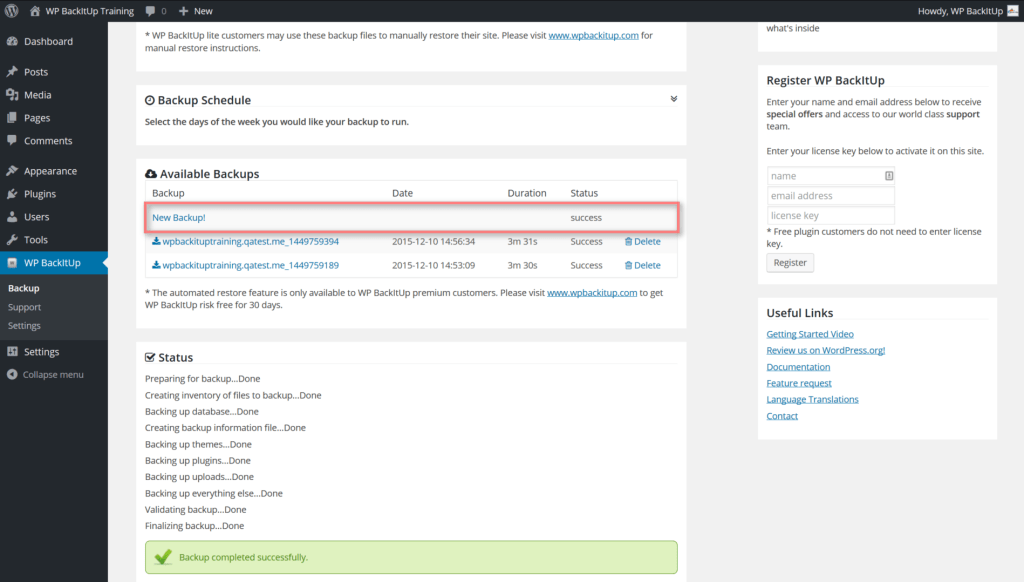

The most economical option is to perform Backup from a WordPress extension.
-
Upgrading the WordPress version.
Every now and then, a new version of WordPress is released. So, it is advisable to update to the next version because it will solve several problems compared to the previous one. An outdated software is also more vulnerable to cyberattacks. Also, the newer version will solve individual problems, sometimes small and sometimes large, compared to older versions.
-
Upgrade of extensions (Plugins).
The larger structure and functionality of WordPress is based primarily on Plugins. Many of these extensions are responsible for the front end of a website. For example, a registration popup, or a comment form. So, if these extensions remain unupdated, WordPress will face functional issues.
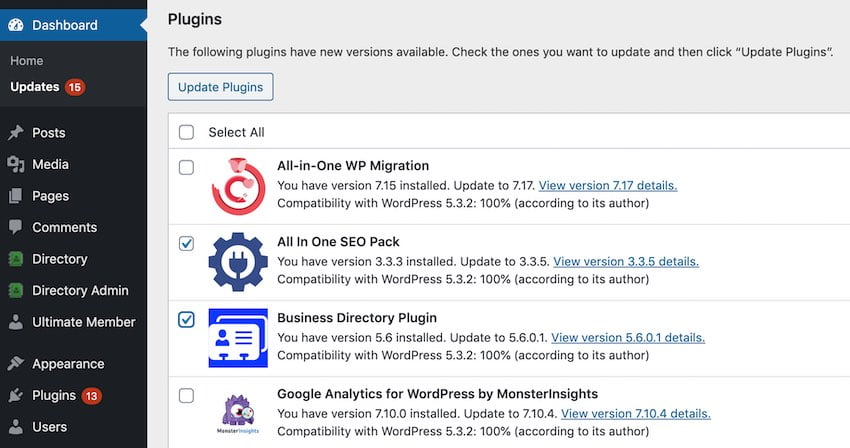

An important task is that of upgrading the various WordPress extensions.
-
Optimizing the performance of a WordPress website.
In order to retain the audience on a WordPress website, the visitor experience should be satisfactory. Thus, some additions to the optimization part of the website should be taken into account. These include the compression of code or images or points on the website that take up a lot of space, resulting in slow loading of certain elements. This can be done either by using an extension or by the intervention of a developer. The choice has mainly to do with the available financial resources of the website owner.
-
Identifying and deleting spam comments.
One problem that a website, especially one with a lot of traffic, can face is spam. It is usually done in the form of comments or other times it may contain malicious links or simple links that refer to other websites. Thus, spam comments should be checked regularly and deleted if detected, for the optimal image of the website.
-
Check and restore "broken" links.
Σε έναν ιστότοπο που έχει μεγάλο περιεχόμενο, είναι συχνό να αναφέρονται άλλες πηγές τρίτων μέσω συνδέσμων (links). Όμως, όσο μεγαλύτερο γίνεται το περιεχόμενο, τόσο δυσκολότερο είναι να εντοπιστεί αν αυτοί οι σύνδεσμοι συνεχίζουν να λειτουργούν ή έχουν λήξει. Έτσι, αν κάποιος επισκέπτης πατήσει σε έναν σύνδεσμο και είναι κατεστραμμένος θα του επιστραφεί ένας 404 κωδικός και η εμπειρία του με την σελίδα WordPress δεν θα είναι η ιδανική. Για να αποφευχθεί αυτό θα πρέπει να γίνεται έλεγχος και αποκατάσταση των “σπασμένων” συνδέσμων (broken links), που υπάρχουν σε έναν ιστότοπο WordPress.
-
Checking links on Social Media.
In addition to links that point to another source, we also have links that point back to property. A link that points to an internal point on the website or to a Social Media profile is also important to check frequently. For any reason, if this link stops working, it should be replaced immediately.
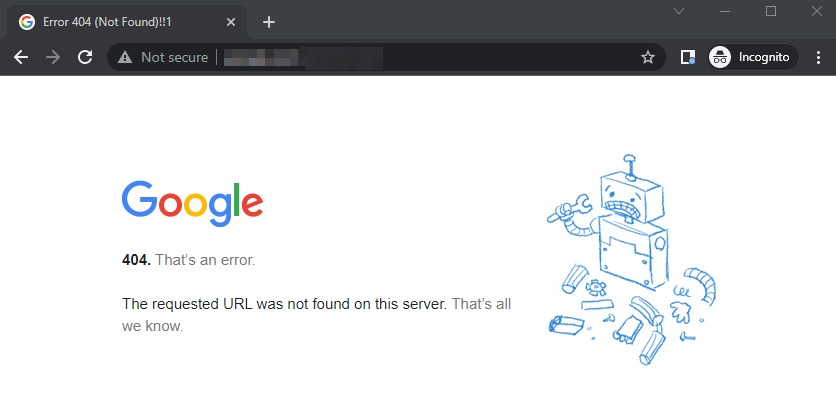

Ένας “σπασμένος” σύνδεσμος θα οδηγήσει σε κακή εμπειρία τον επισκέπτη του ιστοτόπου WordPress.
-
Delete extensions that are not used on your WordPress site.
Although this action also refers to the security of the site, it is still in the realm of maintenance. Extensions or themes that are not used can be used as a means of intruding into the site. So, it is best if they are not used to be deleted completely, so as not to consume resources, for organizational reasons and of course for security reasons.
-
Clearing temporary data.
Media files enhance the user experience. Whether it’s an image on a landing page, a video, or audio, media files take up a lot of space and impact website performance. The best way to deal with media files is to optimize them before they’re uploaded and clean up any temporary media files that are no longer needed. Plugins created for this job can be helpful for cleaning up large sites.
-
Check device and browser compatibility.
Website performance is important. An average visitor is willing to wait just 3 seconds for a website to load and be impressed. However, sometimes, a website may perform amazingly on a desktop browser, but not load well at all on a mobile device. Similarly, websites can perform differently on different browsers.
Therefore, it is important to periodically check website performance on different devices and browsers to make sure that the website user experience is consistent for all visitors.
-
Update location information.
Καθώς μια επιχείρησή αναπτύσσεται, υπάρχουν αρκετές αλλαγές που αφορούν τους πελάτες ή τους επισκέπτες της. Αυτές οι αλλαγές μπορεί να καταγράφονται επίσημα, αλλά ο μόνος τρόπος για να τις γνωρίζουν οι επισκέπτες είναι μέσω του ιστότοπού. Η ενημέρωση των πληροφοριών του ιστότοπού, όπως η σελίδα “Σχετικά με εμάς”, τα στοιχεία επικοινωνίας και οι σημαντικές αλλαγές στα προϊόντα και τις υπηρεσίες είναι σημαντική για να παραμείνει ζωντανή, η επαφή με τους πελάτες.
How important is the maintenance of a WordPress website?;
Maintaining a WordPress website is of utmost importance for its smooth operation, as well as for the visitor experience. Thus, it is necessary to calculate the individual actions that should be scheduled to be performed, so that the website is updated and accessible in the best possible way. Among other things, what the proper maintenance of a website will bring are:
- Seo (Search Engine Optimization).
- Data assurance.
- Safety.
- Visitor experience.
- Visitor retention.
- Profit increase.
Different WordPress maintenance tasks need to be performed at different frequencies. Some tasks, like scanning the site or taking backups, need to be performed daily, while tasks like checking hosting plans and domains can be done annually.